
Headless Solutions
Magento vs Shopify: Total Cost, Trade-offs and a Third Option
 Sergey
Published
8 min read
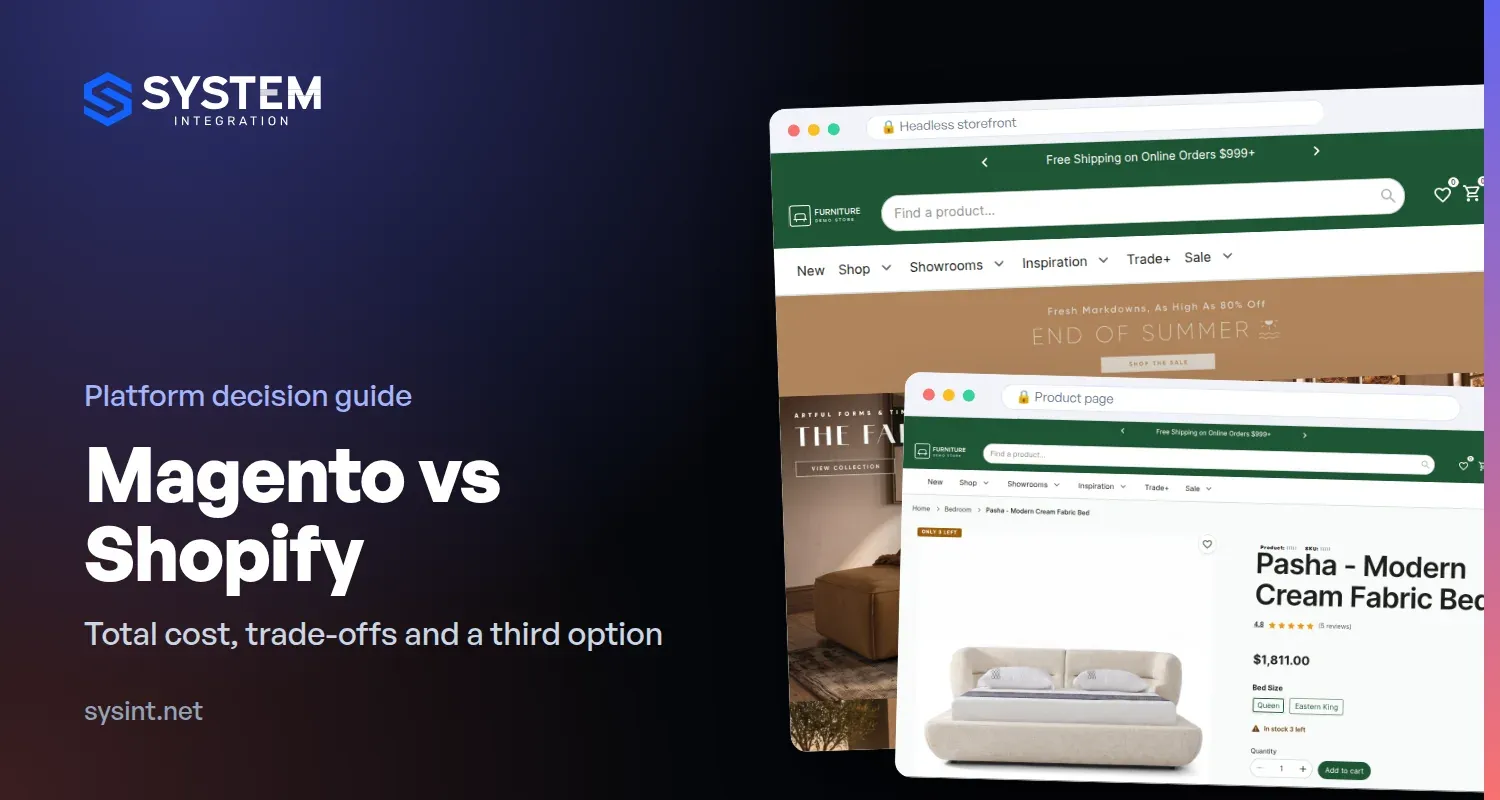
If your Magento store feels slow or dated, someone has probably told you to move to Shopify. We build on both platforms, so here is how we compare them for an established store: what each costs to run, where each one fits, and a third option most comparisons leave out.
The short answer: Shopify wins on simplicity. Magento wins on complex catalogs, several stores and custom B2B logic. And if what really hurts is the front-end, you may not need to change platforms at all.
Magento vs Shopify at a glance
| Magento | Shopify | |
|---|---|---|
| Who runs the servers | You, or your agency | Shopify |
| License | Magento Open Source: no license fee. Adobe Commerce: a yearly license | A monthly plan, with Shopify Plus at the top |
| Several stores | Several brands on one Magento: one admin, one catalog, shared customers | Each store is separate. Plus adds expansion stores |
| B2B and customer prices | Customer group prices and your own logic | B2B on every plan, with up to 3 catalogs; unlimited catalogs on Plus |
| Checkout | Yours. You can change any step | Customized through Shopify's checkout extensions, more on Plus |
| Integrations | Custom modules or direct API connections | Apps, or custom apps through the API |
| Payments | Any provider, no platform fee | An extra 0.2–2% fee if you use a provider other than Shopify Payments |
| Who you depend on | Your own code and server, and a team that knows Magento | Shopify's rules, and every app vendor's prices and updates |
Shopify plan details are from Shopify's pricing page, checked in November 2026.
Shopify vs Magento total cost of ownership
Most total cost of ownership (TCO) comparisons online are written by agencies that sell one of the two platforms, and their numbers tend to prove their point. Instead of an average that fits nobody, here are the line items, so you can put in your own quotes.
Shopify: what you pay every month
- The plan. From the Basic plan up to Shopify Plus, which starts at about $2,300 a month. Prices differ by region and billing period, so check your own quote.
- Apps. Features that Magento modules gave you, such as advanced search, B2B rules, subscriptions or product options, usually come from apps. Most are billed monthly, and some are priced by order volume.
- Payment fees. Shopify Payments rates, or an extra 0.2% (Plus) to 2% (Basic) of each order if you keep another payment provider.
- Development. Theme work, custom apps and integrations.
- What you don't pay for: hosting, security patches and platform upgrades. That is Shopify's real strength.
Magento: what you pay every month
- The license. None for Magento Open Source. Adobe Commerce, the paid edition, has a yearly license.
- Hosting and a CDN. A server or cloud setup sized to your catalog and traffic.
- Upgrades and security patches. Adobe releases them several times a year, and someone has to apply and test them on your store.
- Extensions. One-off licenses, some with yearly renewals.
- Development and support. Usually a retainer. Ours start at $800 a month.
The cost people forget: the migration itself
Moving to Shopify is a project of its own, and it sits on top of the monthly costs:
- Products, attributes and categories rebuilt in Shopify's structure
- Customers and order history moved across. Customer passwords usually can't be carried over, so customers set new ones
- Every URL mapped and redirected, so you keep your search rankings
- ERP and other integrations rebuilt against a new API
- Custom logic, such as customer prices or product options, rebuilt as apps or dropped
- Your team retrained on a new admin
Our own Magento to Shopify migrations start at $6,000 for a straightforward store. A multi-store setup with custom B2B logic and integrations takes far more.
How to compare: take three years. For each option, add the one-off cost (migration, or a new front-end) and three years of running costs, using real quotes. For a simple catalog, Shopify often comes out cheaper. For a store with several brands, customer-specific prices and an ERP, the migration alone can outweigh years of hosting savings.
When Shopify is the better choice
- Your catalog is fairly simple: products, variants, a few collections.
- You run one store, or stores that don't share much.
- You don't want to own servers, upgrades or security patches.
- There's no Magento developer on your team, and you don't want to depend on one.
If that's you, Shopify is a strong platform and we'd tell you so. We build on it too, and we migrate stores from Magento to Shopify.
When staying on Magento makes sense
- Several brands or countries run on one Magento, with one catalog and one admin.
- Customer groups see their own prices, and B2B buyers order on their own terms.
- Your ERP, warehouse or PIM integrations took years to get right.
- Your checkout or product logic is custom, and it's part of how you sell.
In these cases the platform is rarely the problem. A slow front-end, an old theme or traffic peaks are. We've seen the opposite move too: a manufacturer whose two WooCommerce stores lacked the B2B features and flexibility it needed moved to Magento 2.
Adobe Commerce vs Shopify Plus
At the enterprise end, the comparison is Adobe Commerce, the paid edition of Magento, against Shopify Plus. Adobe Commerce adds B2B features and Adobe's cloud hosting, and its license is priced on request. Shopify Plus adds unlimited B2B catalogs, more checkout customization and expansion stores. Many established stores run Magento Open Source with their own B2B modules instead, which is the version we compare above.
The third option: keep Magento, replace the storefront
Most comparisons stop at "stay or migrate". There is a third way. Magento stays where it is, with your catalog, prices, cart, checkout, orders, admin and integrations. Only what shoppers see is rebuilt: a new storefront on its own server, connected to Magento. This is called a headless Magento setup.
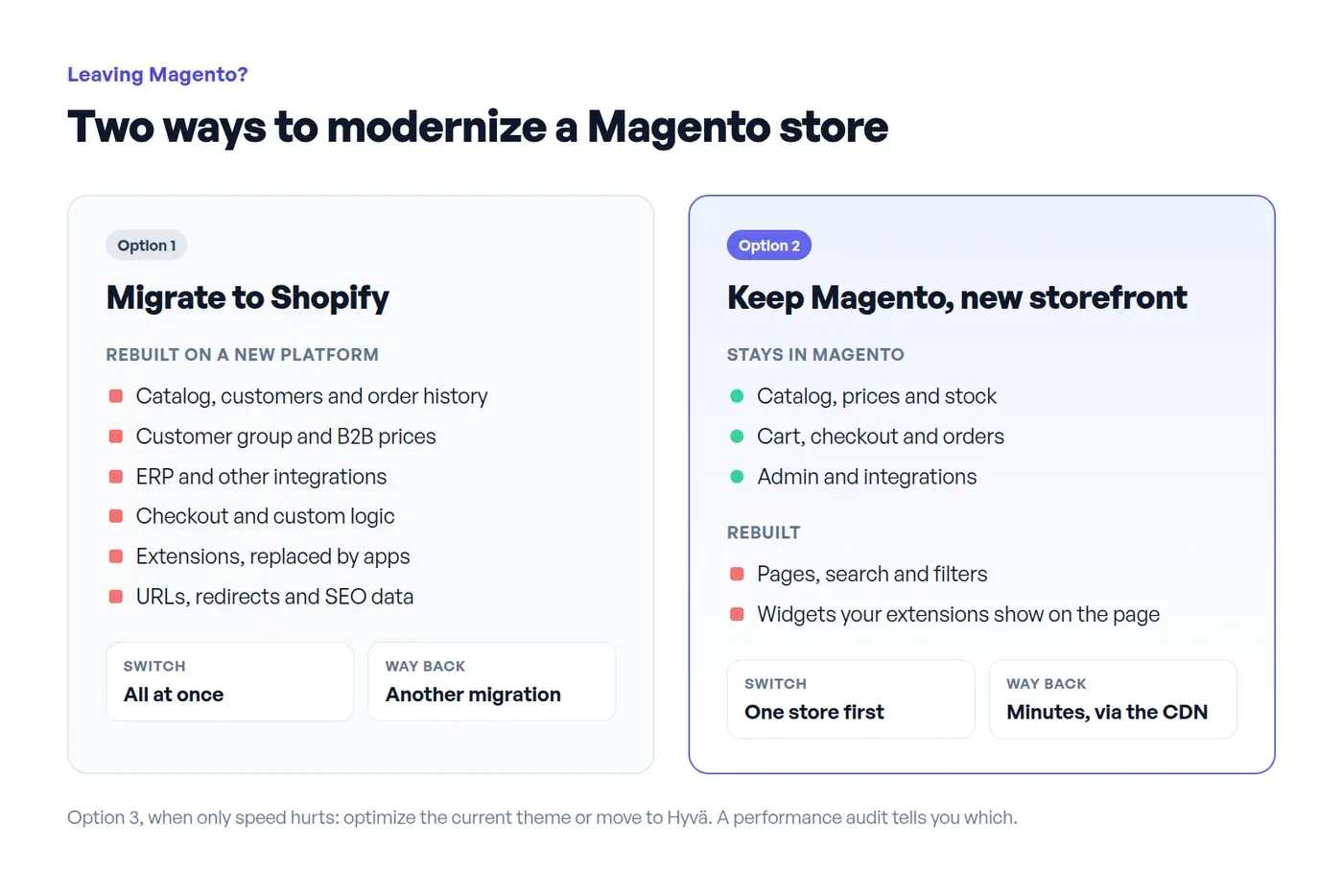
What it changes compared with a migration:
- Less to rebuild. Prices, customer groups, checkout and integrations stay in Magento, as they are.
- No forced upgrade. The storefront works with any Magento 2.x through its API.
- One store at a time. You switch one store over first. If something goes wrong, it goes back to the Magento front-end in minutes, through the CDN.
- Traffic peaks land on the storefront. Bots, ad traffic and search hit the storefront server, not Magento, so checkout isn't stuck behind them.
The trade-offs: one more server to run, and anything your extensions show on the page (reviews, labels, widgets) has to be rebuilt once. A project like this usually takes 3–4 months.
What this looks like for a furniture retailer
One of our clients, a furniture retailer, runs four stores on one Magento, two of them B2B. The store hadn't been upgraded in years, and the owner had been looking at Shopify. We built a working demo on their real catalog, compared it with a move to Shopify, and they decided to keep Magento and replace the storefront.

How the work is split:
- Pages are rendered on the server, so search engines get full HTML and the URLs stay the same.
- Categories, filters and search come from a separate search index. Changes in Magento reach it within minutes.
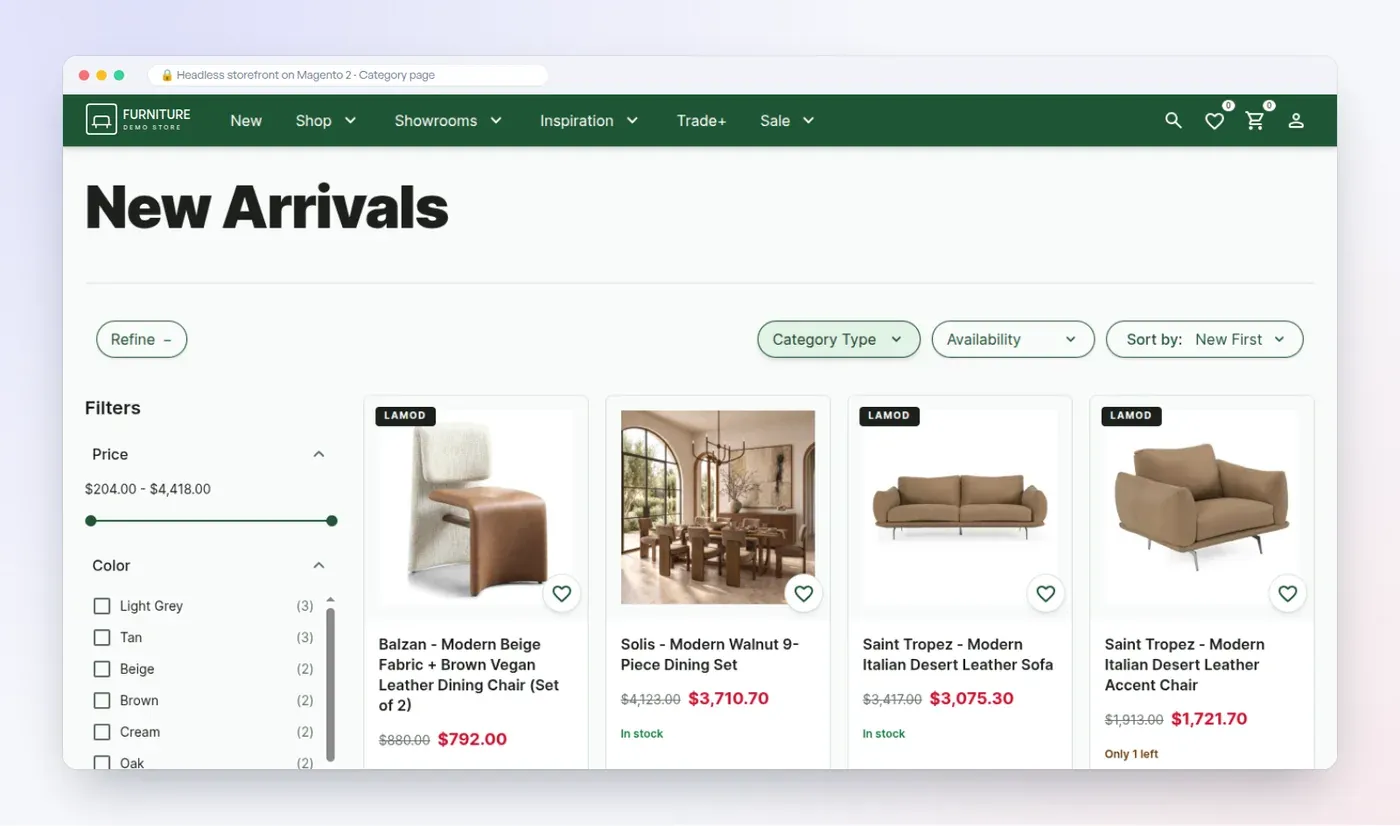
- Prices for each customer group come from Magento's own price index, and the cart always recalculates them in Magento.
- The cart lives in Magento. At checkout, the shopper is handed over to the native Magento checkout with a single-use link, so payments and order logic don't change.
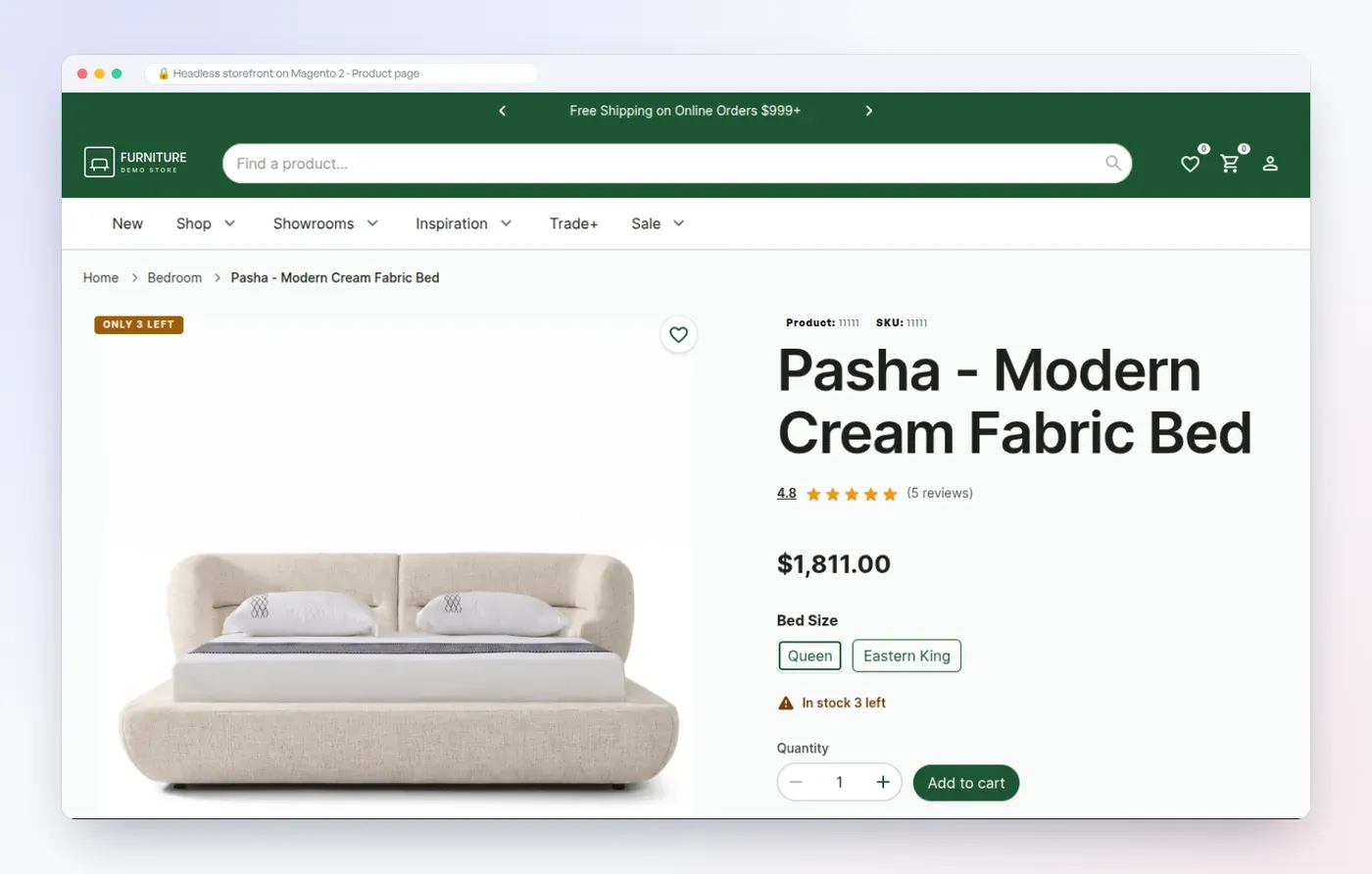
- Banners, menus and content pages are managed in a content admin, without a developer.
- Magento stays on its current version. No upgrade was needed to start.
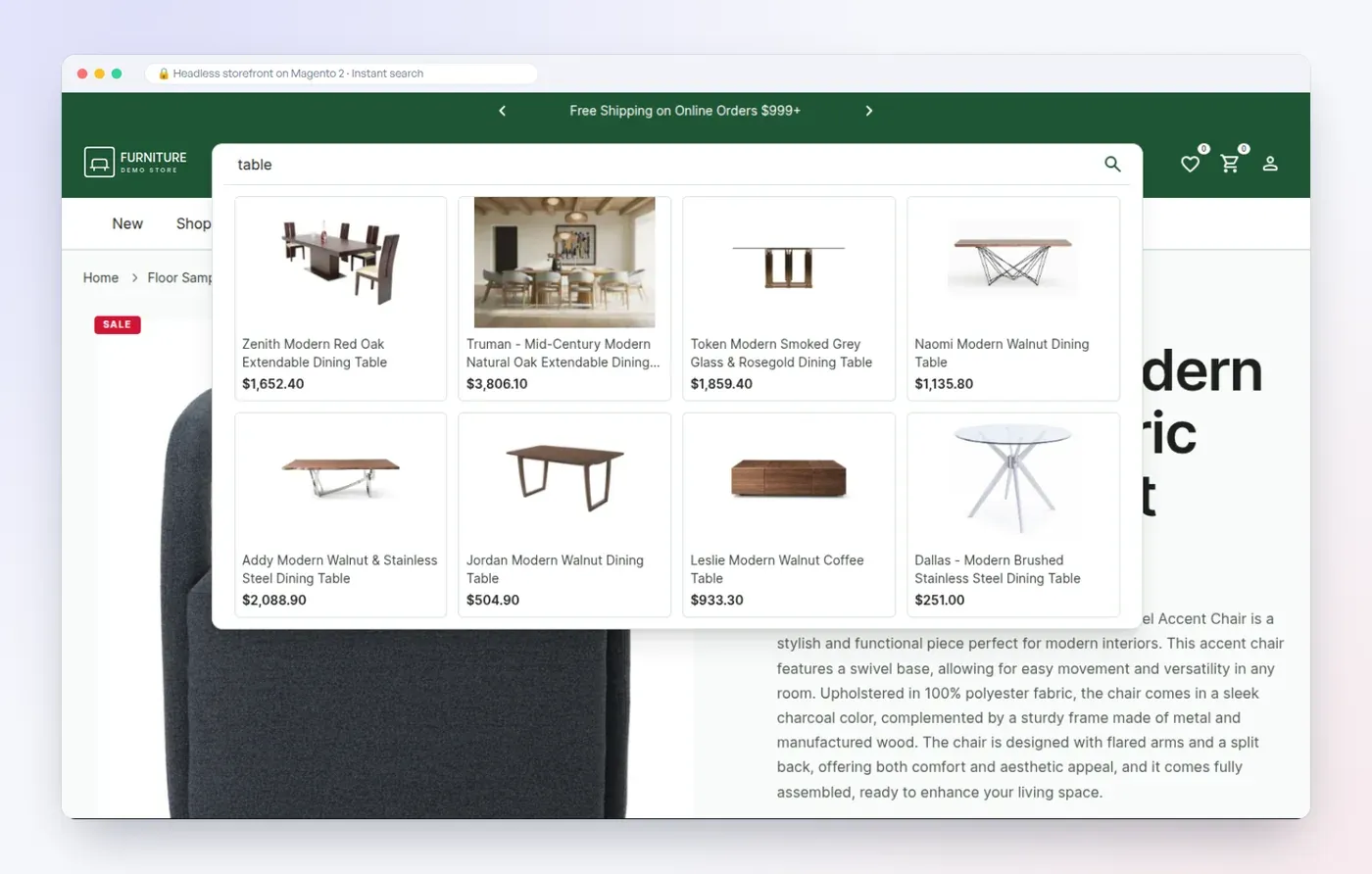
The planned setup for four stores and about 38,000 products is one dedicated server at about $115 a month, plus Cloudflare Pro from $20 a month. The first store is planned to go live in early 2027. Before launch, we'll agree on the pages to measure, and compare them before and after.
How to decide: five questions to answer first
- How many stores do you run, and what do they share? Shared catalogs and customers favor Magento.
- Do customer groups or B2B buyers see their own prices? If yes, list how they work today and price that logic on each option.
- Which integrations can't you work without? ERP, warehouse, PIM, marketplaces. Ask what happens to each one.
- What actually hurts? Speed, running costs, or finding developers? Each one has a different fix.
- What would the migration itself cost? Get a real estimate, not a monthly price list.
If the answer to question 4 is "only speed", you may not need a new platform or a new storefront. A lighter theme such as Hyvä, or fixing what slows the current one down, can be enough. A performance audit ($560, up to 3 days) shows which case you're in.
For a wider view that includes BigCommerce and WooCommerce, see our comparison of four e-commerce platforms.
Questions about Magento vs Shopify
Is Magento better than Shopify?
Neither is better in general. Magento fits complex catalogs, several stores and custom B2B logic. Shopify fits simpler catalogs and teams that don't want to run servers.
Is Shopify cheaper than Magento?
Month to month, often yes for a simple store, because hosting and upgrades are included. Over three years, add the migration and the apps that replace your custom features. For complex stores, that can change the answer.
Can I move from Magento to Shopify without losing SEO?
Yes, if every old URL is redirected to its new address and titles, descriptions and structured data move with the pages. Shopify's fixed URL structure means most URLs will change, so the redirect map matters.
Can Magento be as fast as Shopify?
Yes. A well-tuned theme, Hyvä, or a headless storefront can all be fast. The difference is that on Magento, speed is your responsibility, and on Shopify it's mostly the platform's, apart from the apps you add.
Do we have to upgrade Magento before going headless?
No. A headless storefront works with any Magento 2.x through its API. You still need to keep Magento patched, but the storefront project doesn't depend on an upgrade.
Weighing Shopify against staying on Magento? We'll walk you through a live headless storefront on a real Magento catalog, or on your own products, and tell you honestly which option fits. Book a demo walkthrough, or read more about our headless Magento development.